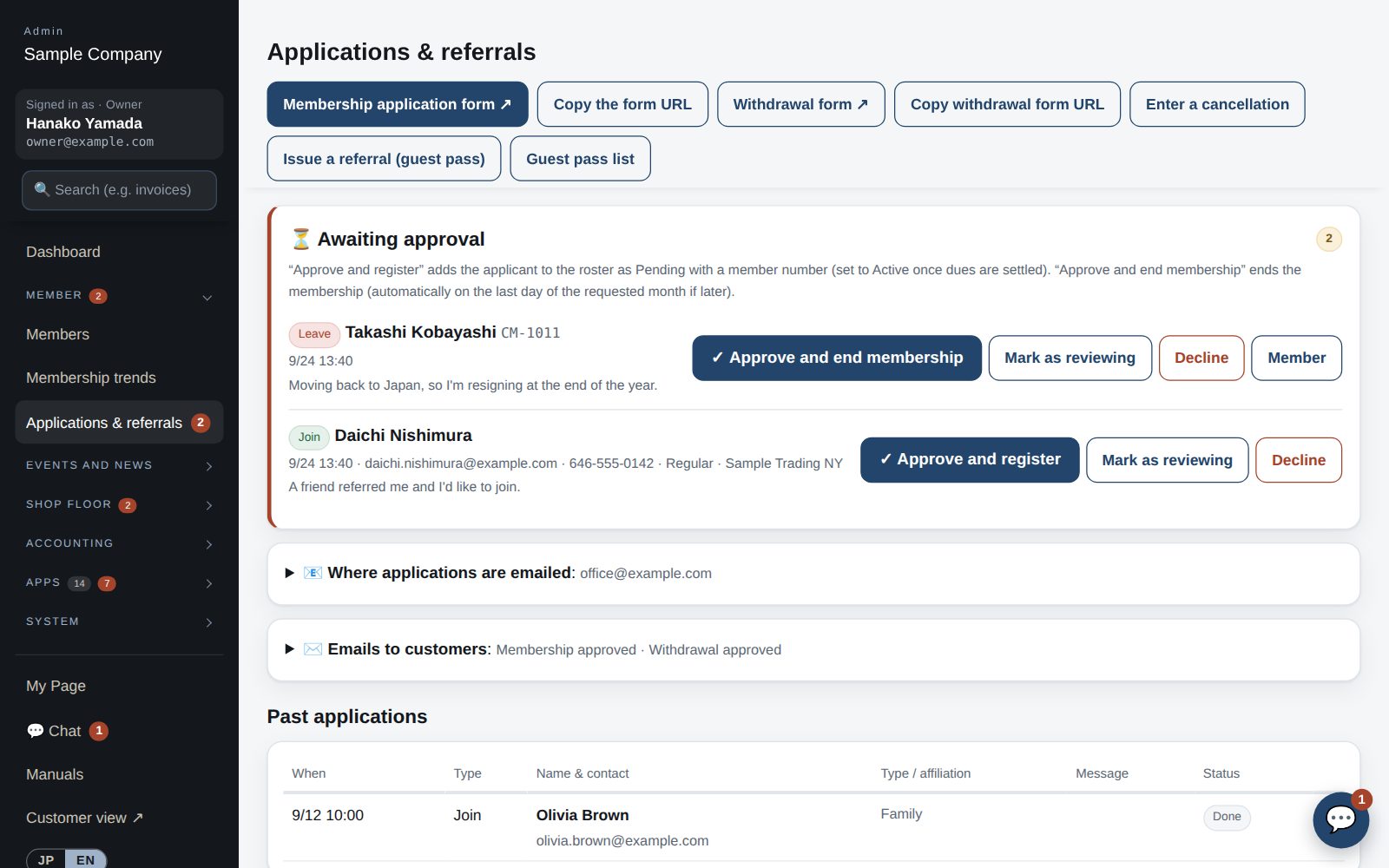
Email the form, wait while it's printed, filled in by hand and sent back, then have someone re-type it into the membership system — this app replaces that whole round trip. The office simply checks the application and presses Approve.

Leaving is the same round trip — and someone has to remember to switch the member off on the right date.
Leaving works the same way: approve it once and membership ends automatically at the end of the chosen month.
6 manual steps➜1 click to approve
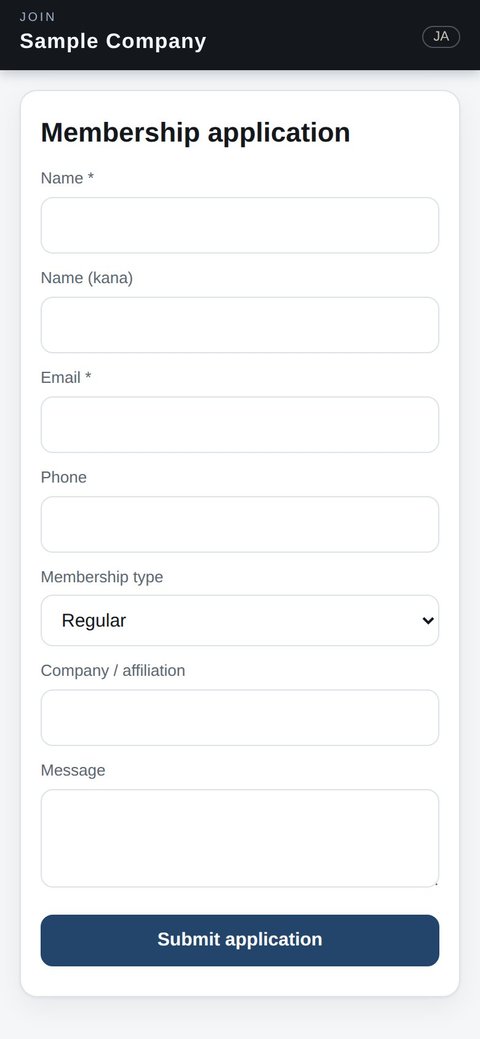
Put the form's link on your website or in an email. Applicants fill it in on the spot, on a phone or a computer — in English or Japanese.

The application appears at once under “⏳ Awaiting approval” and is emailed to the addresses you choose. The count shows in the menu, so nothing slips through.
Review the details and press “Approve and register”. You see the welcome email and its recipient before anything is sent.

The member is added to the roster, gets the next member number and receives the welcome email in their own language (you can edit the text). Once dues are confirmed, switch them to Active.
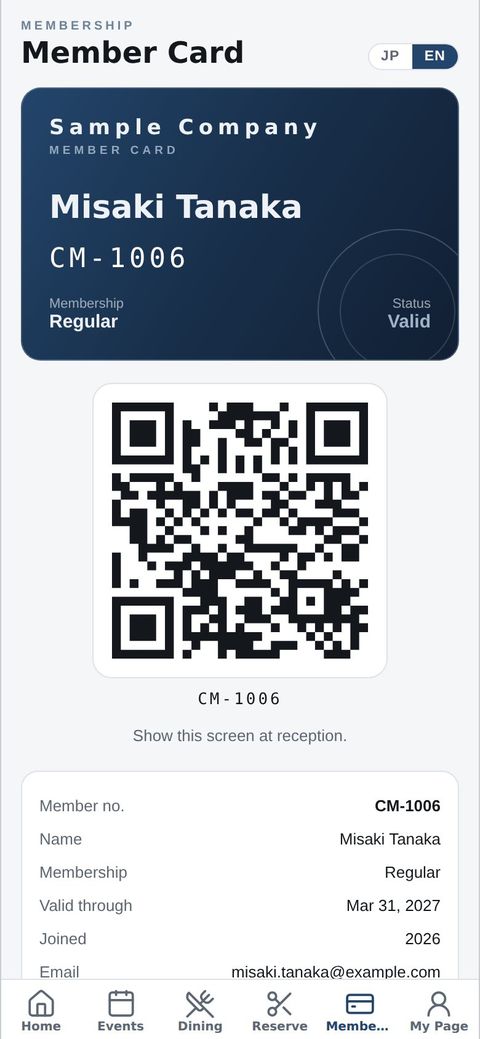
The member signs in to the app with their email. The member card (QR) works right away, along with events and reservations.

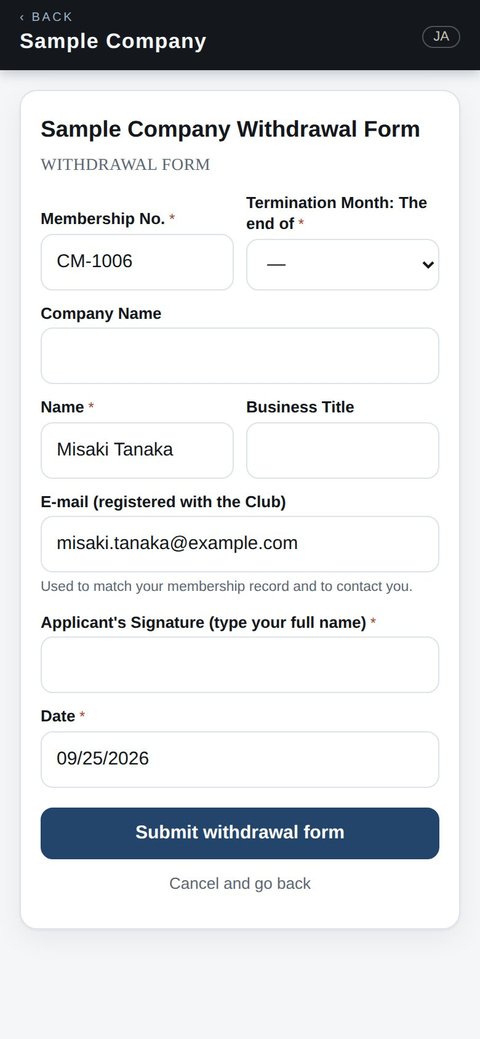
Members use “Withdraw” on My Page. When signed in, their number, name and email are already filled in — they choose the month, sign and send.

Check the form and approve. The confirmation email goes out in the member's language.
If the chosen month is later, they stay a member until its last day. Then membership ends automatically and app access stops; the record stays in the roster.
| Today (paper & email) | This app | |
|---|---|---|
| Getting the form | Email it, wait for mail or a scan | Send a link; applicants fill it in on their phone |
| Data entry | Re-type the paper into the membership system | None — the applicant's answers go straight to the roster |
| Member number | Someone picks one and writes it in | Assigned automatically on approval |
| Welcome email | Written one by one | Set the text once; it goes out on approval (Japanese or English) |
| Member card | Print or order a card | The app's member card (QR) works right away |
| End date | Remember it and switch the member off later | Automatic at the end of the chosen month |
| Status | Paper and email on one person's desk | Visible in the admin screen, with a count of what's waiting |
Import it from a CSV (Excel) file or from Join It — which can also sync automatically every night. From day one, new applications and withdrawals come in through the app.
Yes. We can match the fields and signature lines of your current application and withdrawal forms (just ask). Submitted applications can also be printed in the same layout as the paper form for your files.
The form and the app switch between English and Japanese, and emails go out in each person's language.
Only your organization's administrators (managers and up by default) can see applications, and you choose who is emailed when one arrives.